The following diagram describes a typical deployment structure for J-Integra® for Exchange.
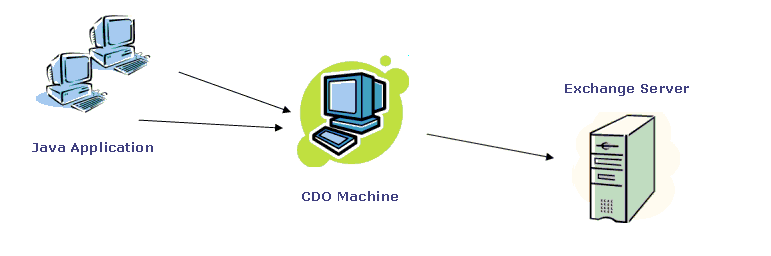
As the diagram above indicates, there are 3 major components to a typical J-Integra® for Exchange setup:
Java Application - your Java application could be a stand-alone desktop Java program or more typically, a J2EE client-server application. A common J-Integra® usage is that of a J2EE CRM application using J-Integra® to retrieve and synchronize messages, business contact information and calendar events stored in the Exchange Server. Being Java, your application could be installed in any platform, even in a non-Windows environment.Files required: jintegra.jar, cdo.jar
CDO Machine - the CDO machine is where CDO is installed and hosted. It serves as the intermediary between your Java application and the Exchange Server. Files required: cdoconfig.exe, dcomconfig.dll, setdllhost.exe, setdllhostEnglishResourceDll.dll. These files are all located in the bin folder of your J-Integra® for Exchange installation. You only need these files once to configure CDO. Once you have successfully configured CDO, you may remove these files from the CDO machine if you want to.
Exchange Server - the Exchanger Server that your Java application will be acessing. Files required: none
It is also possible to access the Exchange Server directly from your Java application without the need of an intermediary CDO machine. Under this scenario, CDO is installed and configured directly in the Exchange Server. This case, however, is less common as most clients face restrictions on doing any installations in the Exchange Server for stability and security reasons.